250

Systems Cleaned

22

Average Space Recovered

75

Monthly Users

99

Successful Cleanup Rate

Professional-Grade Optimization

ShieldMax Cleaner utilizes state-of-the-art technology to transform your Windows experience by eliminating frustrating system hiccups. Engineered for peak efficiency, it ensures your system remains fast, secure, and fully optimized.

Download Drivers for:

Windows 11
Windows 10
Windows 8

Key Features

The Complete System Solution

ShieldMax Cleaner ensures your Windows system remains stable and efficient by keeping your file structure lean and organized.

  • Smart Identification: Automatically finds hidden junk, temporary files, and cache impacting your speed.
  • Precision Deep Cleaning: Safely removes system clutter without affecting your important personal documents.
  • System Optimization: Minimizes crashes and errors by resolving underlying Windows registry conflicts.
  • One-Click Fix: Optimizes speed, stability, and system health instantly with a single click.
  • Massive Cleanup Database: Uses an extensive library to identify and purge leftovers from thousands of different applications.
By clicking "Download", I agree to Site Terms of Use and Privacy Policy Compatible OS: Windows 11/10/8.1/8

Available for Millions of Devices

10M+ Drivers Available in the Library

A Smarter Choice

Created to make system management feel simple, reliable, and stress-free for everyday Windows users.

Download Now By clicking "Download", I agree to Site Terms of Use and Privacy Policy Compatible OS: Windows 11/10/8.1/8

How it works?

Install the Software:

Begin by clicking the download button and following the simple prompts once the launcher appears.

Initiate a System Scan:

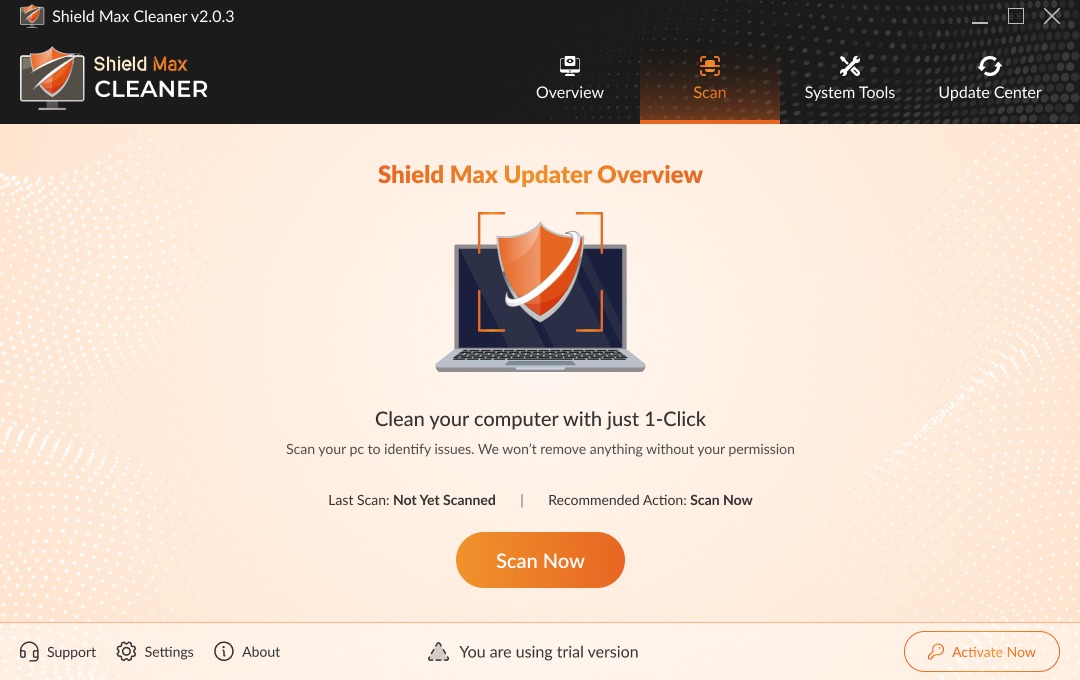
Use the "Scan Now" feature to identify junk files, system issues, and performance-draining clutter.

Execute the Cleanup:

Click the update or fix button to automatically purge digital debris and resolve registry conflicts in one click.

Maintain Peak Stability:

Once finished, your system remains optimized, ensuring long-term health and a stress-free Windows experience.

Built for Ease

Deep System Cleanup:

Erases the "ghost" files from the uninstalled old programs that you no longer use.

Sneaky Background Cleaning:

Cleans up secretly so it doesn't disturb your important daily work.

Hardware Health Status Checkvia:

Gives up-to-the-minute notifications when the hardware performance is worsened due to software clutter.

Custom Scheduled Maintenance:

Choose when maintenance runs, and let the software handle it in the background.

FAQ's

The software provides complete support for Windows operating systems, including Windows 11, Windows 10, and Windows 8.

ShieldMax Cleaner is designed to remove temporary and non-essential system files. It does not access or delete user-created files such as documents, images, or personal data.

Running the cleanup once a week is generally sufficient. You can adjust the frequency based on how often you use your computer.

ShieldMax Cleaner can help improve startup performance by removing unnecessary startup items and temporary system clutter. However, results may vary depending on your system configuration.

Yes, you can schedule maintenance through the Scheduled Maintenance feature, which keeps your PC clean when your system is idle.